

Guides
Bookmarks vs. Reading Lists: When to Use Each (and When to Archive)
Use a practical decision tree to choose whether a saved link belongs in bookmarks, a reading list, an archive, or nowhere at all.
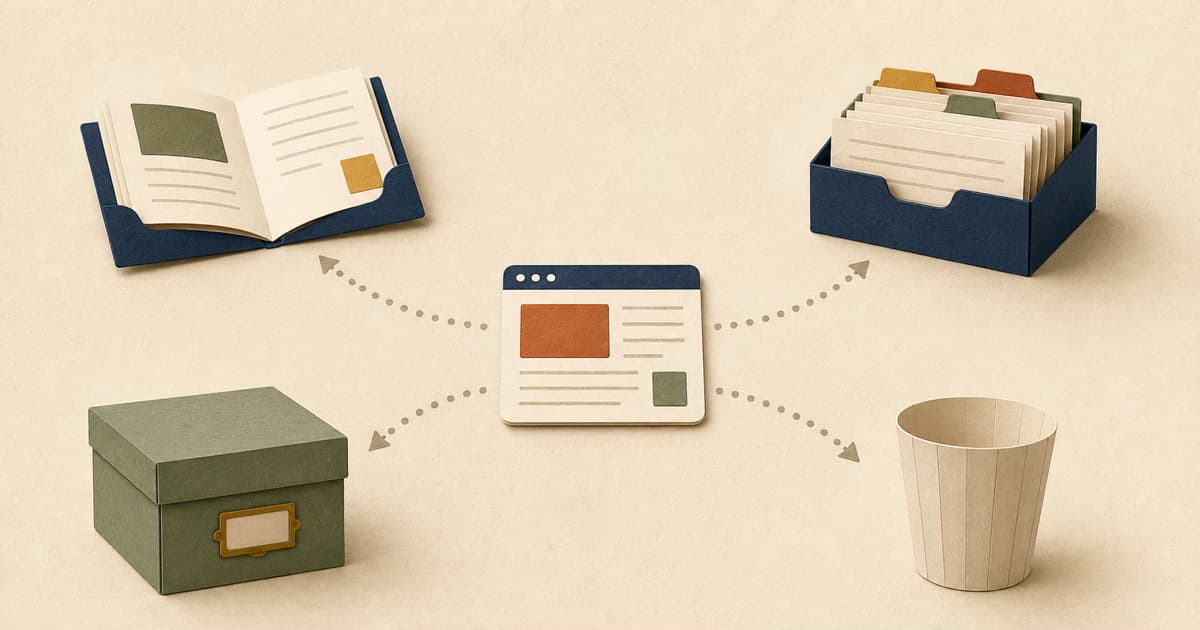
Use a reading list when the next action is to consume a page once. Keep a bookmark or reference when you expect to return to it repeatedly. Archive it when the work is finished but the context may matter later. If you cannot name any future action, do not save it.
That distinction is more useful than a perfect folder structure because it gives every saved link an exit. A reading list item gets read, promoted to reference, archived, or deleted. A reference stays available while it is useful. An archive preserves the trail of completed work.
The short answer: sort by the next job
| Destination | The promise you are making | Typical links | Exit condition |
|---|---|---|---|
| Reading list | “I intend to consume this.” | Articles, reports, videos, recipes to try | Read, watch, abandon, or promote |
| Bookmark or reference | “I expect to use this again.” | Documentation, dashboards, tools, proven recipes | Keep while repeat access is still useful |
| Archive | “I am done, but may need the record.” | Sources used in work, completed research, past project material | Keep only as long as the history matters |
| Do not save | No credible next action | Vague “maybe someday” links, duplicates, weak results | Close the tab |
These are roles, not permanent identities. The same report can enter a reading list before a meeting, become a reference during a project, and move to the archive after the project ends.
Browser features already hint at this split. Chrome describes bookmarks as a way to remember favorite or frequently visited sites, while its Reading List is explicitly for pages to read later. The practical gap is what happens after “later.” That is where an archive—and permission to delete—become useful.
An archive in this article means a workflow state, not a preserved copy of the web. A URL can change or disappear. If you must retain the exact contents of a page for legal, research, or audit reasons, use a suitable capture or records system instead of assuming an archived link is immutable.
Start with one question: what happens next?
Before you save a link, finish this sentence:
The next time I open this, I will…
Then route it in this order:
- Consume it once? Put it in the reading list.
- Use it repeatedly? Keep it as a bookmark or reference.
- Keep evidence of finished work? Archive it.
- Still cannot name an action? Do not save it.
The order settles an awkward case: a page you need to read now and may reuse later. Put it in the reading list first. After reading, promote it only if it proved useful. This delays the long-term decision until you have evidence.
Avoid saving a second copy “just in case.” Duplication makes the system look safer while leaving you with two places to inspect and two records that can drift apart.
Use a reading list for unfinished consumption
A reading list is a queue, not a library. Each item represents an open act: read the report, watch the talk, review the pull request, or try the recipe.
Good candidates include:
- an article needed before a meeting;
- a video you plan to watch with sound later;
- a research paper you have not evaluated yet;
- a tutorial you intend to follow;
- a recipe you plan to test this weekend.
The exit condition matters more than an arbitrary age limit. “Delete everything after 14 days” sounds decisive, but a two-week deadline has no special relationship to your work. A better review question is: does this item still have a specific moment or project in which I expect to consume it?
If yes, keep it. If the answer is only “it seems useful,” either identify the use or let it go. Age can trigger a review, but it should not make the decision for you.
After consuming the item, choose again:
- keep it as a reference if you expect repeat use;
- archive it if it supports completed work;
- delete it if the value was in reading it once.
Marking something “read” without deciding what comes next merely changes the label on the pile.
Keep a bookmark when repeat access is the point
A durable bookmark answers a different question: where is the place I expect to return to?
Examples include a project dashboard, API documentation, a frequently used calculator, a repository you actively maintain, a team handbook, or a recipe that already earned a place in your rotation. These are working surfaces or known references, not promises to consume something later.
This is close to how Chrome frames the feature: its bookmark documentation tells people to save sites they plan to visit again. But “again” should still be concrete. A page is not a durable reference merely because it might be useful to an imaginary future version of you.
References also need an exit. Project links can be retired when the project closes. Documentation for a version you no longer run can be replaced. A travel check-in page may deserve prominent access this week and deletion next week.
If a page changes frequently, decide whether you need the living destination or a historical record. Bookmark the living documentation; capture or archive the specific version only when the old state matters.
Archive completed work, not postponed intentions
An archive is for links whose active job is over. You might need them to retrace a decision, verify a citation, revisit the material behind a finished project, or understand why a team chose one option over another.
The distinction between reference and archive is expectation:
- a reference anticipates repeated future use;
- an archive preserves context from completed past use.
An unread article does not become an archive merely because it is old. That hides an unfinished decision. Either return it to an active reading list with a credible reason or delete it.
The reverse is also true: archiving everything you read creates a searchable history, but not necessarily a useful one. Keep completed links when the record has a purpose. The rest can leave.
Do not save a link that has no job
“Maybe useful someday” is not a future action. It is a request for your future self to rediscover why the page mattered.
Common examples worth closing instead of collecting are:
- a repository unrelated to any current project;
- a second explainer that adds nothing to the one you kept;
- a search result you have not opened;
- a product page saved without a purchase, comparison, or monitoring plan;
- an article whose headline was interesting but whose argument is not.
Not saving is not losing information that you owned. In many cases, you are declining to create a private maintenance task for a public page you can search for again.
There are exceptions. A rare primary source, a page at risk of disappearing, or a document required for accountability may deserve capture even without frequent use. Name that reason explicitly; it is the job that justifies the save.
Eight links, eight concrete decisions
This worked set tests the framework against common ambiguous cases.
| Link | Destination now | What should happen next |
|---|---|---|
| A 40-page report for Thursday’s meeting | Reading list | Read before the meeting; archive only if it informs the decision |
| API documentation used every week | Bookmark/reference | Replace it when the project changes versions |
| An article cited in a finished brief | Archive | Keep while the brief and its source trail matter |
| A recipe to try on Saturday | Reading list | Promote to reference if it works; delete if it does not |
| A live pricing page in a vendor evaluation | Reading list or project queue | Record the evaluated terms separately; the live URL is not historical proof |
| A repository that “might be useful someday” | Do not save | Save only when a real project gives it a job |
| An airline check-in page for next week | Temporary bookmark/reference | Delete after the trip unless a record is required |
| A half-read article that is not answering your question | Delete | Stop treating completion as a duty |
The destinations differ because the intended use differs—not because articles always belong in one place and documentation always belongs in another.
Clean up a mixed pile without rebuilding everything
You do not need to design a taxonomy before you can improve a saved-link collection. Start with the oldest visible item or the next item that naturally returns to your attention.
For each link:
- Open enough of it to remember what it is.
- Finish “the next time I open this, I will…”
- Move it to reading, reference, or archive—or delete it.
- Add a tag or folder only if it helps that named action.
Then stop after a small batch. The method works one decision at a time; a heroic reorganization is not a prerequisite.
Visibility matters. In a study of 50 participants retrieving previously visited websites, only 41 of 250 bookmarked targets were retrieved through the bookmark facility; 32 of those 41 were found in the visible browser bar rather than through the menu hierarchy. The authors describe this as evidence that bookmarks were rarely used unless they remained highly visible. This was a bounded retrieval study, not a measure of reading habits or a universal success rate. Still, it is a useful warning: saving a link is not the same as creating a return path.
How the decision maps to Nodus Vault
Nodus Vault implements this as a flow rather than a folder tree. A new save can wait in Triage until you decide. An item with a real consumption commitment moves to Reading List. Completing it moves it to Archive; a kept reference can be excluded from Daily Check and Forgotten suggestions. Daily Check brings back a finite set of up to five eligible reading-list links, so the interface asks for one decision instead of another reorganization.
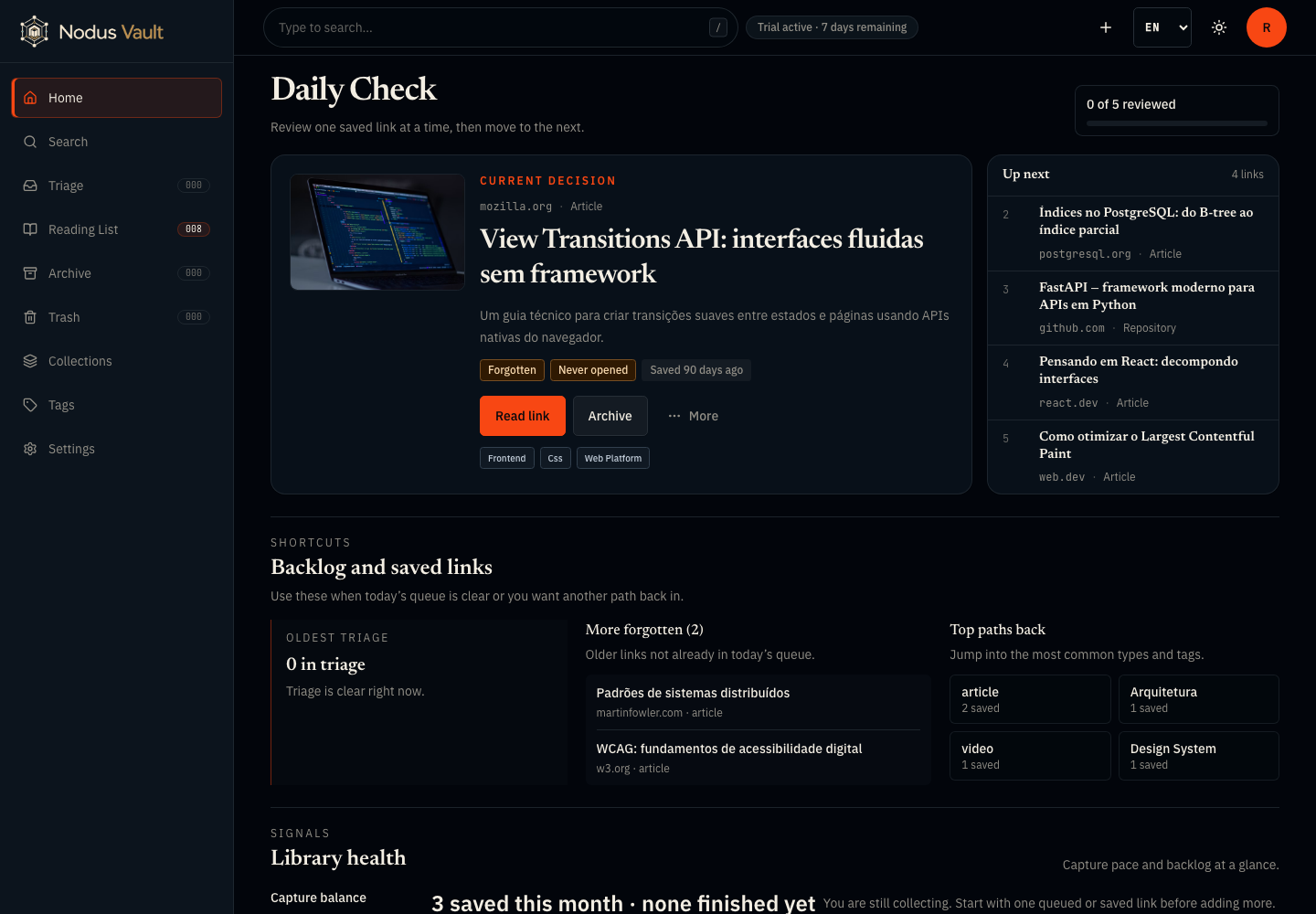
Open the full-size screenshot. The current English interface on July 21, 2026. This is a prepared product demonstration, not a behavioral study or a claim that a particular workflow will improve reading rates.
You can apply the same decision tree in a browser, a notes app, or another bookmark manager. The value is in naming the next job. The product simply makes those states explicit.
If the problem is no longer where a link belongs but how to recover one from a partial memory, use the separate guide to find a saved link when you do not remember its title.
Keep one rule
Do not ask, “Is this page valuable?” Many pages are valuable in the abstract. Ask, “What will I do with it next?”
That answer gives the link a destination, an exit, and a reason to exist in your collection. Try the flow in Nodus Vault: save one real link, choose its next job, and let the rest stay outside your library.