

Bookmark management
How to Choose a Bookmark Manager: A Retrieval-First Checklist
Choose a bookmark manager by testing capture, retrieval, resurfacing, and export with your own links—not by comparing feature lists.
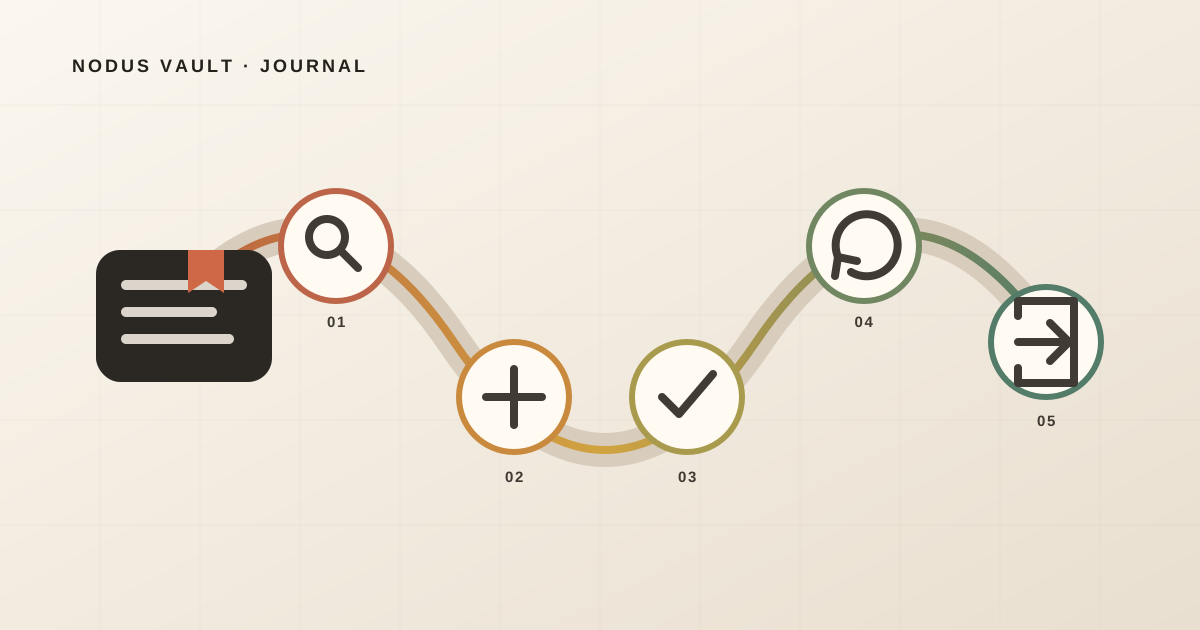
The best bookmark manager is the one that lets you save without breaking focus, find a link from an incomplete memory, decide what should happen next, and leave with your data if the tool stops fitting. You cannot learn those things from a feature grid.
Run a seven-day trial with 12 links from your real work instead. Search for them using what you remember—not the exact titles—and inspect the export before moving your archive. A tool that passes that small test is more promising than one with a longer list of folders, AI features, and integrations.
The short answer: test the way back, not the way in
Most bookmark apps make saving easy. The meaningful differences appear later.
Use these five jobs as your first filter:
| Job | The test | A useful pass looks like |
|---|---|---|
| Capture | Save from the browser and phone you actually use | The link arrives with a recognizable title and source, without a long detour |
| Retrieve | Search from an imperfect memory | You can find it by idea, phrase, site, note, or context—not only its exact title |
| Decide | Separate links with different next actions | A reading commitment does not disappear inside permanent reference |
| Resurface | Bring an older item back deliberately | Review is finite and actionable, not another endless feed |
| Exit | Export and inspect your library | The file is readable and preserves the context you depend on |
Add a sixth job only when you truly need it: collaboration. Shared collections, permissions, comments, ownership, and retention are a different problem from managing a personal library.
Do not average all six into one score. A manager that is excellent at capture but fails your export requirement still fails if portability is non-negotiable.
Why feature comparisons give weak answers
Folders, tags, full-text search, highlighting, AI summaries, browser extensions, mobile apps, reminders, and collaboration can all be useful. Their presence says little about how well they work together in your routine.
A feature list hides the questions that matter:
- Does “full-text search” cover the page body, your notes, or only generated descriptions?
- Does a mobile app include a practical share action, or merely let you browse what you saved elsewhere?
- Does “export” preserve notes and highlights, or only URLs?
- Does “AI organization” change your library automatically, and can you undo it?
- Does “offline access” save readable content or just metadata?
There is no universal winner because the failure costs differ. A researcher may accept slower capture in exchange for citations and annotations. Someone saving recipes may care more about mobile sharing and image-rich results. A developer may need fast domain, code phrase, and note retrieval. A team needs permissions that would be unnecessary overhead for one person.
Older research on personal web information already points in this direction. A 2004 workplace study found that people used several methods to keep and re-find web information, with no observed method performing every desired function. The tools have changed, but the tension between quick capture, reminding, context, and later retrieval remains useful. See the Microsoft Research paper and its limitations.
Build a 12-link trial library
Do not begin by importing 8,000 old bookmarks. A large migration makes a new tool feel committed before it has earned the commitment.
Choose 12 current links:
- three pages with clear, memorable titles;
- three pages you remember by an idea or phrase in the body;
- two links that need a short note to preserve why you saved them;
- two items with different next actions, such as “read this week” and “reference for Project Atlas”;
- one duplicate or tracking-heavy URL;
- one link you would be comfortable forgetting for several days.
Use public, non-sensitive pages for the first trial. If a manager only becomes valuable after receiving private notes, client material, or a complete browsing history, you cannot assess its privacy and deletion behavior safely. Before installing its browser component, run the four-layer privacy audit for bookmark extensions.
Before saving, write down the memory cue you expect to use later. It might be:
- “the article about outsourced thinking”;
- “GitHub issue with the stale cache fix”;
- “museum map for Lisbon”;
- “chart comparing local-first databases.”
This note is for the test, not necessarily for the manager. It prevents you from quietly changing the query after seeing the saved title.
Day 1: measure capture friction
Save four links during normal work. Do not stage a polished demo.
Record:
- where you were when you wanted to save;
- how many decisions the tool required;
- what metadata arrived;
- whether you had a convenient place to add the reason;
- whether capture failed on any device or content type.
Fast capture is not the same as one-click capture. A single click that creates an anonymous pile may cost more later than a two-step flow that keeps the source and lets you add one useful sentence.
Check browser coverage literally. “Browser extension” does not mean every browser. Check the current store listing and test your main profile, private-window policy, work-device restrictions, and mobile path.
If you plan to import existing browser bookmarks, export a safety copy first. Chrome documents bookmark export to HTML, while Firefox documents both HTML export and JSON backup/restore. Mozilla also warns that restoring a backup replaces the current bookmarks, a good reason to understand the direction of every migration before clicking.
Day 2: search from memory
Wait until the titles are no longer fresh. Then try to recover six trial links without browsing the library manually.
Run different kinds of queries:
- a phrase from the title;
- the site or author;
- a phrase remembered from the page body;
- your own reason for saving;
- the project or next action;
- a loose description that uses none of the page’s exact wording.
For each result, note not only whether the correct link appeared, but why. A trustworthy search interface should help you distinguish a title match from a note, tag, domain, saved passage, or semantic match. Without that evidence, a correct result is harder to debug and an incorrect one is harder to improve.
This is the central test because memory rarely returns a perfect filename. Research comparing files, email, and web pages found that re-finding behavior mixes search and navigation and changes over the life of the information. The study is from 2014 and should not be read as a benchmark of current bookmark apps, but its retrieval framing is still helpful. The paper is available through the University of Illinois repository.
Give each recovery one of three marks:
- Pass: the intended link appears from the cue you naturally remembered;
- Partial: you find it only after adding a filter or browsing a small group;
- Fail: you need the exact title, the original app, or a manual scan.
Do not punish navigation automatically. A project collection can be the fastest route when you remember the project. The question is whether the manager supports the route your memory actually takes.
Day 3: test decisions, not decoration
Open the two links with different next actions. Can you tell, at a glance, which one you intend to read and which one is durable reference?
A bookmark manager does not need a complex workflow engine, but every inbox needs exits. Useful destinations may include:
- read or watch soon;
- active project;
- recurring shortcut;
- long-term reference;
- archive or discard.
Tags and folders can express some of those differences, but structure is not the same as state. A folder named To read becomes a quiet backlog if nothing brings it back or helps you finish it.
If this distinction is your main difficulty, compare bookmarks and reading lists as different commitments before choosing a new app.
Days 4–6: look for a return path
Leave the twelfth link alone. See whether the tool offers a deliberate way back to it.
The return path might be a scheduled review, a small queue, a reminder you set, a resurfacing view, or a saved search you open weekly. What matters is that it has a boundary and a decision.
Ask:
- Can I see why this item returned now?
- Is the review small enough to finish?
- Can I keep, act, archive, or dismiss it?
- Will dismissed items immediately return?
- Can I control notifications and timing?
An infinite stream of old links is not review. It is another feed. If you do not want resurfacing at all, that is a valid requirement—just make sure search alone has passed.
Studies of bookmark use should be interpreted carefully here. A 2020 paper observed 50 participants during web re-finding tasks and reported a gap between creating bookmarks and using them again. That controlled study does not prove that reminders solve every library, but it does support testing later use rather than measuring saves. You can read the published paper.
Day 7: export before you commit
Request an export while the trial library is still small. Open the result; do not accept the existence of an Export button as proof.
Check whether it contains:
- original URL and a readable title;
- created or saved date;
- source, folder, collection, and tags you rely on;
- your notes and highlights;
- archived or deleted status, if those states matter;
- saved page content, when the product promises it;
- a documented format you can parse without that vendor.
Then import a copy into a blank browser profile, spreadsheet, or simple script. The destination does not need to recreate the entire experience. This test asks whether your information is intelligible outside the product.
Also examine the security tradeoff. Apple’s current Safari guide, for example, warns that exported browsing data is not encrypted. Portability is valuable, but the exported file becomes your responsibility. Follow the current instructions for your Safari version rather than assuming all browsers produce the same artifact.
Sync is not a backup and an export is not a permanent copy of the web. A URL can still move, become private, or disappear. If preservation is a requirement, evaluate archiving and legal retention separately.
Use a pass/fail scorecard
At the end of the week, fill this in:
| Requirement | Weight | Result | Evidence |
|---|---|---|---|
| Capture from my main browser | Must pass | Pass / Partial / Fail | |
| Capture from my phone | Must pass / Optional | Pass / Partial / Fail | |
| Find by exact details | Must pass | Pass / Partial / Fail | |
| Find from an idea, phrase, or note | Must pass / Optional | Pass / Partial / Fail | |
| Separate reading, project, and reference | Must pass | Pass / Partial / Fail | |
| Bring useful links back | Must pass / Optional | Pass / Partial / Fail | |
| Export the context I need | Must pass | Pass / Partial / Fail | |
| Fit privacy, price, and collaboration constraints | Must pass | Pass / Partial / Fail |
Reject a tool that fails a must-pass requirement. Among the survivors, choose the one with the least maintenance—not the most optional features.
Price belongs in the scorecard, but calculate switching cost too. A free manager with an unreadable export can become expensive. A paid manager that replaces three unreliable capture routes may be cheaper than its subscription suggests.
When browser bookmarks are enough
You may not need a dedicated bookmark manager.
Stay with browser bookmarks when:
- most links are recurring shortcuts;
- exact title, URL, and folder navigation are enough;
- browser sync covers your devices;
- you rarely add notes or highlights;
- you already revisit important links through projects, calendar, or reading apps;
- HTML export gives you enough portability.
Modern browsers provide more than a bare list. Chrome documents bookmark search and management in its current bookmark guide, and Firefox supports names, locations, tags, search, backup, and import/export in its bookmark documentation.
A dedicated manager becomes worth testing when you repeatedly remember content but not titles, save across several sources, need notes beside links, confuse reading queues with reference, or want a deliberate review loop.
We applied the checklist to Nodus Vault
On July 28, 2026, we applied four parts of this checklist to the current Nodus Vault codebase and automated test suite. This was a prepared product verification by the team that builds Nodus Vault—not an independent benchmark and not a comparison against other managers.
We ran 51 automated checks covering:
- parsing pasted URLs and browser bookmark HTML, including invalid and duplicate entries;
- explaining retrieval from titles, tags, domains, URLs, notes, descriptions, and saved page text, plus semantic recall;
- generating a finite Daily Check of up to five eligible links with cooldown behavior;
- exporting an account archive with the owner’s saved links, page text, tags, collections, notes, and highlights while excluding another user’s data.
All 51 checks passed in the tested revision. They establish that those code paths behave as described under their test conditions. They do not establish mobile support, performance with every library size, success on every website, or independent user satisfaction.
Against the full checklist, Nodus Vault has clear boundaries:
- capture is available through a Chromium extension, pasted URLs, and browser bookmark import; there is no native extension for every browser;
- retrieval can use titles, descriptions, saved page content when available, notes, tags, sources, and meaning, and it shows match evidence;
- Daily Check brings back a finite queue of up to five eligible links;
- account export includes saved links, collections, tags, notes, highlights, and account metadata;
- page content depends on what can be extracted, and private, removed, or access-restricted sources may remain unavailable.
That makes Nodus a candidate when imperfect-memory retrieval and a small return loop are important. It is a poor fit if a native Safari or Firefox extension, team permissions, offline archival, or a permanent free plan is mandatory.
Make the decision after one ordinary week
The final choice should feel almost boring. You saved links during real work, recovered them from real memory, made a few decisions, saw one come back, and inspected the exit.
If two tools pass, prefer the one you can explain in one sentence:
I save useful links here because I know how I will find them and what happens next.
That sentence is a better foundation than “this one has 47 features.” A bookmark manager earns its place by shortening the route from remembering to using.
If retrieval, finite review, and export are the gaps in your current system, try Nodus Vault with the 12-link test before moving anything else.