

Guides
How to Clean Up YouTube Watch Later Without Deleting Everything
Turn an overloaded YouTube Watch Later playlist into a small active queue. Keep courses and references, remove stale saves, and avoid risky bulk-delete scripts.
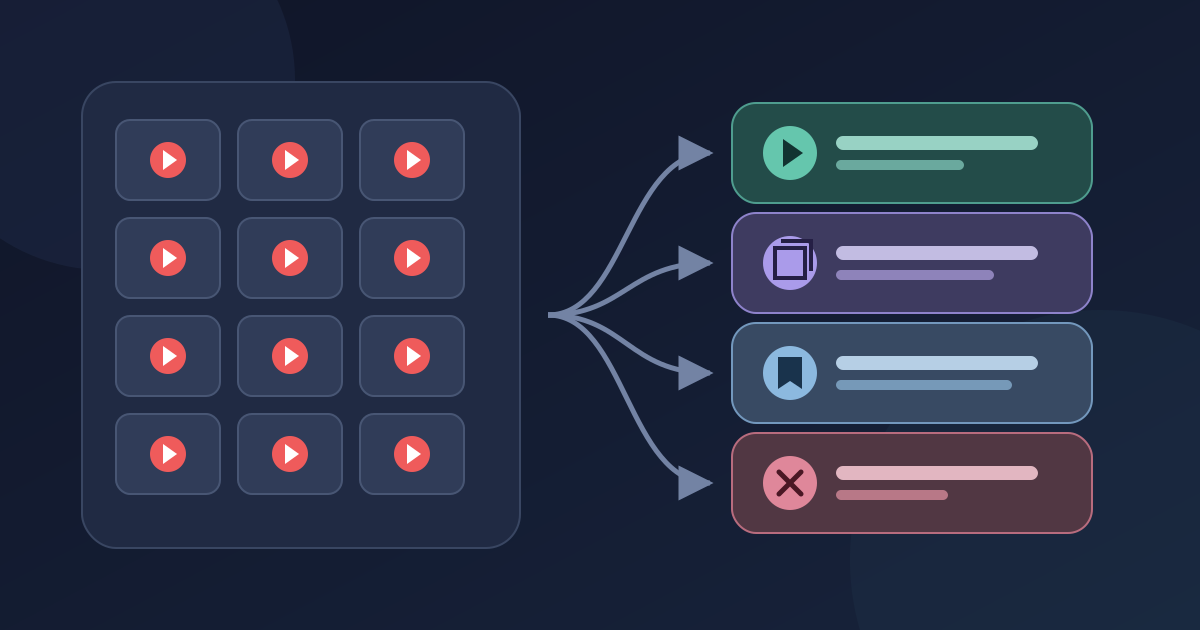
You do not need to empty YouTube Watch Later to make it useful again. Give it one job instead: hold the videos you can realistically decide about soon. Move courses to their own playlists, keep durable material as searchable reference, and remove saves that no longer answer a question.
That approach preserves what matters without treating every old click as unfinished work.
The backlog itself is not unusual in public conversations. Some people describe using Watch Later every day; others mention lists with thousands of videos and no credible plan to reach the bottom. These recent discussions are useful for hearing how individuals frame the problem, but they are not representative research on YouTube users.
Treat Watch Later as a temporary queue
“I may want this someday” and “I intend to watch this next” are different commitments. Watch Later becomes hard to trust when it has to serve both.
Use four exits during cleanup:
| What the video is for now | Decision |
|---|---|
| It answers a current question and has a plausible viewing session | Keep it in Watch Later and name that session |
| It belongs to a course, event, or ordered sequence | Add it to a dedicated YouTube playlist |
| You expect to search for or cite it later, without watching it soon | Keep it as a reference outside the active queue |
| Its event has passed, it duplicates something better, or you cannot name a use | Remove it from Watch Later |
This is not a demand for inbox zero. A useful queue can contain unwatched videos. The test is whether each one still has a current reason to be there.
A playlist and a reference library also solve different problems. The playlist preserves a viewing sequence inside YouTube. A reference system helps you retrieve a source by project, topic, or note. The broader guide to bookmarks, reading lists, and archives explains that boundary in more detail.
Pause new saves before you clean
If videos keep arriving while you review the old list, the cleanup has no visible edge. Pause new additions for one review session or a few days. You are not giving up the save button forever; you are creating enough stillness to see what the queue currently contains.
Then open only the first manageable group on screen. Do not start by promising to evaluate the entire history. For each video, complete one sentence:
Before [moment or event], I will watch this to answer or decide [question].
“Watch the database migration walkthrough before Friday’s deployment review” earns a place in the active queue. “Interesting backend video” does not yet describe a viewing decision. It may become a reference, join a project playlist, or leave the list.
There is no universal batch size. Choose a group whose end you can see and whose decisions you can finish. Six videos may be enough for a first pass; a screenful may work better on another device.
You can record the decisions in this blank Watch Later review sheet. The sheet is optional. Its only purpose is to keep “maybe” from swallowing every other choice.
Review each video with the same four questions
Open the title and thumbnail, then ask the questions in order. You usually do not need to watch the whole video to decide where it belongs.
1. What current question would this answer?
If the answer is concrete, decide when you will give it a first useful pass. A pass could be the entire video, a relevant chapter, or enough viewing to learn that the source is not useful. Keeping the video in Watch Later is reasonable while that session remains credible.
If the only answer is “this looks useful,” continue to the next question.
2. Is this part of a sequence?
A course module, conference track, exercise series, or multi-part build is easier to understand in order. Put it in a dedicated playlist whose title says what the sequence is for.
YouTube’s current Help documentation explains how to save a video to a playlist, including a private playlist if it should be visible only to you. Add the video to its destination and confirm it is there before removing it from Watch Later. This is a two-step decision, not an automatic transfer.
3. Will I retrieve this as a source rather than watch it soon?
Some videos are useful because they contain an explanation, interview, demonstration, or primary statement you may need later. That makes them references, not necessarily viewing commitments.
Save the accessible URL in the reference system you already use. Add the project or question that will help you find it again. “Authentication architecture — compare token rotation approaches” is far more useful than a generic “YouTube” tag.
Check the saved destination before you remove the original Watch Later entry. A private or deleted video may not remain available merely because you stored its URL; this method organizes access but does not create an offline copy.
4. What would be lost if I removed it?
An expired livestream announcement, a duplicate upload, a tutorial for a tool you abandoned, or a video whose title no longer means anything can leave. Removal is a correction to an old decision, not a judgment about the video’s quality.
YouTube documents the individual desktop flow under You → Watch Later → More → Remove from Watch Later in its Watch Later Help page. Interface labels can move, so prefer the current Help page over memorized instructions.
If you still cannot choose, the video does not automatically earn a permanent place in the active queue. Put it in a temporary review group with a date, or remove it. An undated “maybe” is how the queue loses its meaning again.
We pressure-tested the boundaries with 12 prepared cards
We created a controlled set of 12 fictional saved-video cards: three designed for each decision. This was a writing and classification exercise, not an authenticated YouTube cleanup, a user study, or a measurement of normal behavior. The equal distribution is deliberate so that every boundary has to work.
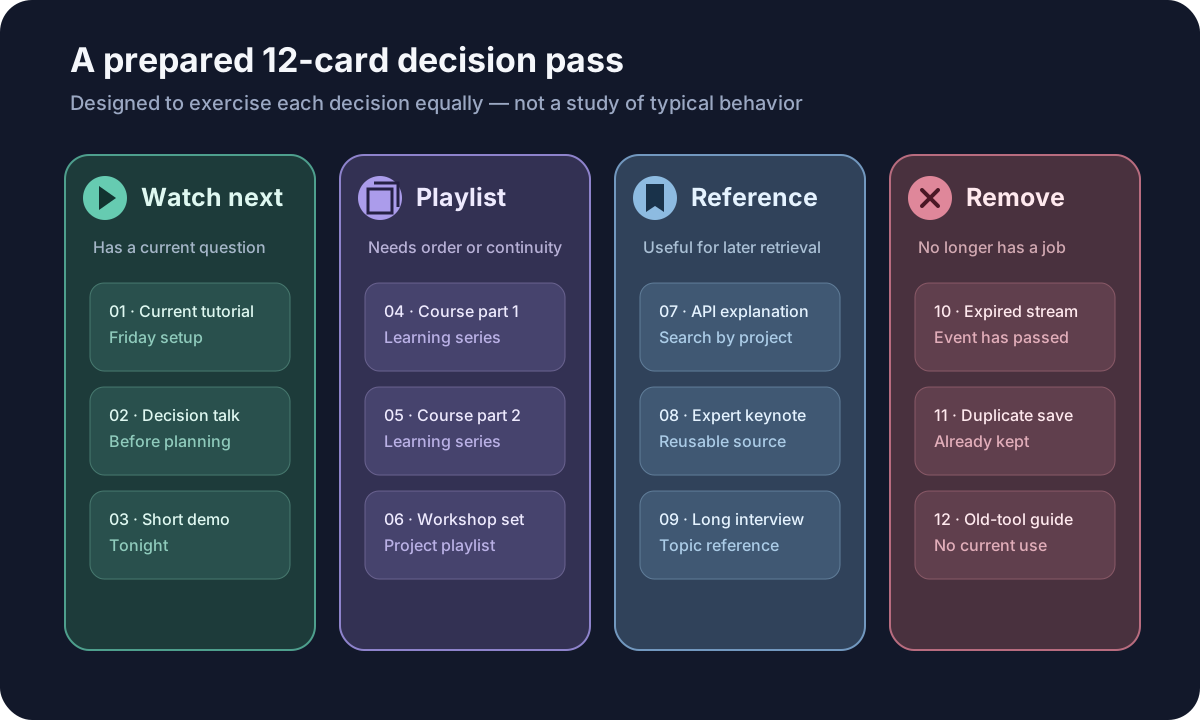
The exercise exposed two useful failure cases.
First, a long expert interview can look like an obvious “watch next” item even when there is no available session or current question. In that case, reference is more honest. If a project creates a reason to watch it later, it can return to the queue then.
Second, “course” is not enough to justify an active commitment. An abandoned course may still have an orderly playlist, but it does not belong in Watch Later unless the learner has resumed it. Preserving sequence and promising attention are separate decisions.
The prepared cards also made the safe order of operations clear: create or choose the destination, add the video, verify it, and only then remove the Watch Later entry. Reversing those steps creates avoidable recovery work.
Keep the queue from growing back
The reset lasts only if new saves enter with more information than an appealing title.
Use a small admission rule:
I am saving this because [reason], and I will decide about it by [moment].
You do not need to write that sentence every time. You do need to be able to say it.
After watching, give the item an exit. If it answered the question, remove it from Watch Later. If it became a durable source, store it as a reference with enough context to retrieve it. If it begins a sequence, place the sequence in a playlist. Do not leave completed decisions mixed with unmade ones.
Avoid replacing the old backlog with a strict target such as “never more than 20 videos.” Capacity changes with the length of the videos, your work, and the kind of attention they require. A healthier constraint is that you can explain why each active item remains and see when the next review will happen.
Avoid risky bulk-cleanup shortcuts
A script or extension that clicks through hundreds of Watch Later entries may look attractive precisely when the list feels impossible. It also concentrates the risk: an outdated selector, a changed interface, or the wrong logged-in profile can alter many saved items before you notice.
This guide deliberately uses the documented, per-video controls. It does not provide a bulk-delete script or claim that YouTube offers an atomic migration from Watch Later to another playlist. If your real goal is account migration, offline backup, or preservation of unavailable videos, stop here and choose a workflow designed for that job.
Be cautious with any tool that requests broad access to YouTube or browser data. Review its permissions, publisher, privacy policy, and removal plan before installing it. Our separate guide explains how to assess a bookmark-manager extension without treating the store listing as proof of safety.
One documented exception is content marked as made for kids: YouTube says those videos cannot be added to playlists or saved to Watch Later. If an expected action is unavailable, check the video’s status before assuming the organizer is broken.
The official Help flows linked here were checked on August 3, 2026. This procedure relies on those documented controls rather than a captured personal Watch Later account. If a label moves, follow the current Help page and keep the same safe order: confirm the destination before removing the original entry.
Where Nodus Vault fits — and where it does not
Nodus Vault can hold selected, accessible YouTube URLs beside the rest of your web references. It does not automatically import or synchronize your YouTube Watch Later playlist.
For a video you deliberately choose to keep, save its URL with the Chromium extension or paste the link into Nodus. A saved YouTube item can open in the video watch panel. If it remains an active viewing decision in Reading List, it may appear in Daily Check, which shows up to five eligible items for a small review. If it is only useful for retrieval, move it to Reference so it stops competing for that review attention.
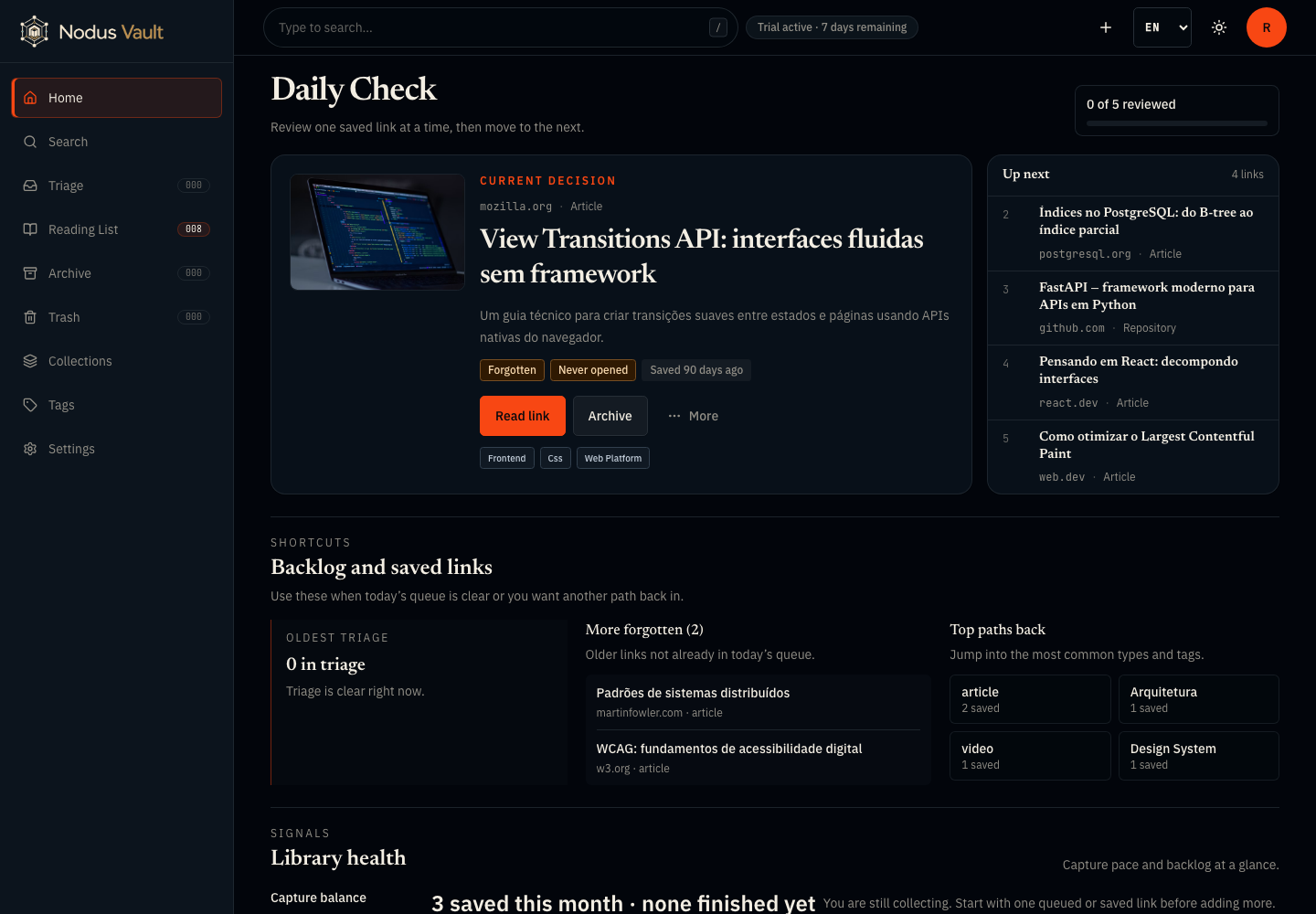
The screenshot above is a prepared product demonstration captured on July 21, 2026. It shows the current states used in this workflow; it is not evidence that Nodus can reach into a YouTube account or move Watch Later entries for you.
That limitation is useful to state plainly. You decide which videos deserve to cross from a platform queue into a personal reference system. Nodus helps with the selected items after that decision.
Start with one screenful
Pause new saves, review one visible group, and give every video one of four exits: watch next, playlist, reference, or remove. Confirm each new destination before deleting the old entry. Then stop.
The result does not need to be an empty Watch Later playlist. It needs to be a queue you believe.
If one video already has a lasting reason to keep it, save that selected URL in Nodus Vault with the reason attached. Leave the rest for the next small pass.