

Web capture
Web Clipper vs. Bookmark Manager vs. Web Archive
Choose between a bookmark, web clip, screenshot, PDF, and web archive by deciding what must survive when the original page changes.
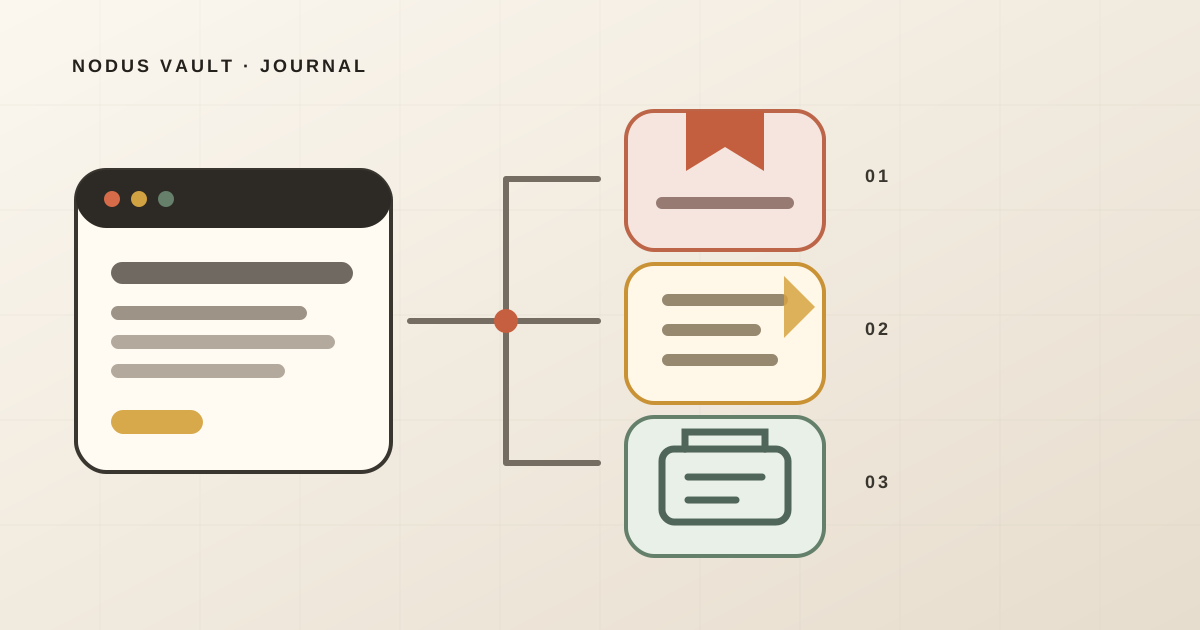
Use a bookmark when you need a route back to the live page. Use a web clipper when you need material from the page inside your notes or knowledge base. Use a web archive when you need evidence of what a page contained at a particular time.
Those are different promises. Saving a URL does not preserve the page. Extracting readable text does not preserve the layout or every interactive element. Taking a screenshot does not preserve searchable structure. Even a web archive can miss resources, scripts, authenticated content, or linked pages.
The useful question is not “Which app saves the most?” It is:
What must still be available if the original changes tomorrow?
The short answer: choose the artifact before the app
Start with the failure you cannot accept:
| You need to… | Start with… | Do not assume it will… |
|---|---|---|
| Reopen the current, live page | Bookmark or bookmark manager | Preserve the page after it changes or disappears |
| Read, quote, annotate, or search captured text | Web clipper or readable-text capture | Recreate the exact layout, media, or interaction |
| Preserve visible appearance | Screenshot or PDF | Keep the underlying structure and behavior |
| Cite or examine a dated version | Web archive | Capture every resource, login state, or linked page |
| Keep a legal or institutional record | Records and archival workflow | Become authoritative merely because a capture exists |
These tools can be combined. A researcher may keep a bookmark for the live source, a text clip for working notes, and an archive URL for the version actually cited. Keeping all three is not duplication when each object has a different job.
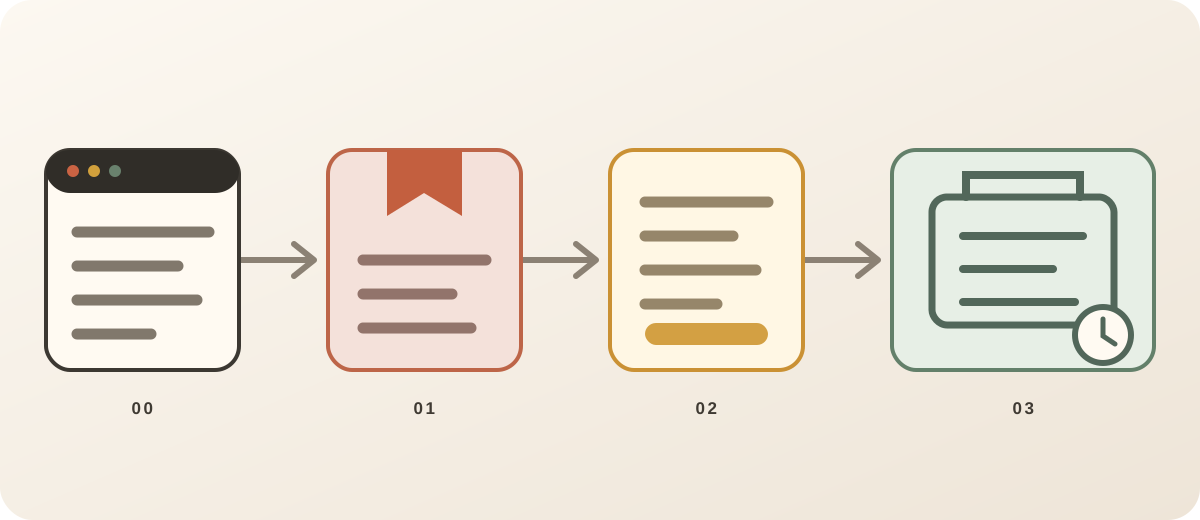
A bookmark is a pointer
A browser bookmark primarily records a destination and enough metadata to recognize it: URL, title, and its place in the bookmark structure. Chrome exports bookmarks as an HTML file that other browsers can import, according to Google’s current bookmark export instructions.
That portability is valuable. If a page changes, however, the bookmark opens the changed page. If the URL returns an error, the bookmark preserves the address—not the missing content.
A dedicated bookmark manager may add descriptions, notes, tags, thumbnails, extracted page text, or search. Those fields improve retrieval and can preserve useful context, but the category name alone proves nothing. Inspect the saved record and the export.
If retrieval is the main problem rather than preservation, use the retrieval-first bookmark manager checklist to test that job separately.
A bookmark is usually enough for:
- a dashboard that should always open in its current state;
- a product page whose latest price matters;
- a project tool behind a login;
- a living document you expect its owner to update;
- a source you can replace if it disappears.
It is a poor sole record for a quotation, a policy as it existed on a certain date, a changing public notice, or evidence that others must be able to inspect later.
“Web clipper” is an action, not a file format
Two products can both say “web clipper” while producing very different objects.
Evernote’s current documentation offers separate clip types for an article, a simplified article, and a screenshot. Its quick-start guide makes the choice visible before saving. Those outputs cannot have identical preservation properties: cleaned article text and a screenshot retain different evidence.
Obsidian’s official clipper stores captured material as Markdown files in the user’s vault. Its open-source project documentation describes those files as readable offline, while the privacy documentation says captures are saved locally. That is a concrete format and storage choice, not a universal definition of clipping.
Notion saves a clipped page into a workspace or database and retains the original URL. Its own Web Clipper help page also says formatting varies and acknowledges that some page content may be missing. That limitation is the honest rule for extraction: sites are built differently, and a successful save action does not guarantee a complete copy.
Before choosing a clipper, find out which of these it creates:
- URL and metadata only;
- selected text;
- simplified article text;
- Markdown or rich-text document;
- screenshot;
- PDF;
- copied images or remotely referenced images;
- a vendor-specific note or database page.
Then ask where that object lives and how it leaves. “Available offline” may mean a local file, a synchronized cache, or an app that can open previously downloaded content. Those are not equivalent exit paths.
Extracted text is a working copy
Readable-text extraction is useful when the job is to search, quote, highlight, summarize, or connect an article to a project. It removes navigation, ads, and much of the page chrome so the meaningful text can become a manageable document.
The tradeoff is selection. An extractor decides what looks like the main content. It may omit:
- interactive charts and the data behind them;
- comments or sidebars that carry context;
- captions attached to unusual markup;
- content loaded after interaction;
- video, audio, and animation;
- text available only after authentication;
- visual relationships that matter to interpretation.
This is not necessarily a bug. A working copy is deliberately smaller than the source. The problem begins when it is described as a permanent, exact copy.
Keep the original URL, capture time, title, author when known, and your reason for saving beside the extracted text. If a quotation matters, compare it with the live or archived source before publishing it.
For research material, the separate workflow for turning saved links into usable references shows how source, note, and future use fit together.
A screenshot or PDF preserves a view
A screenshot answers a visual question: what was visible in this viewport or full-page capture? It can preserve layout, color, a chart, an error message, or a transient interface state that plain text would flatten.
It also creates hard limits:
- text may not be searchable or accessible without OCR;
- links and controls no longer work;
- content outside the captured area may be absent;
- a long page can become difficult to inspect;
- hidden state, hover behavior, audio, and animation disappear;
- the image may expose private names, account details, or tokens.
A PDF can retain selectable text and multiple pages, depending on how it was produced. It still represents a rendered output, not the original application. Print styles can remove navigation, background graphics, expanded sections, or interactive elements.
Use a screenshot for visible evidence and a PDF for a readable fixed document. Keep the source URL and capture date with either one. If the record must prove more than “this is what my screen showed,” define the evidentiary process separately.
A web archive captures a dated retrieval
Web archiving aims to preserve more of the transaction between a browser or crawler and the web: the page response, related resources, timestamps, and metadata needed for later replay.
The WARC format illustrates the difference. The Library of Congress describes WARC as an aggregate format that can combine multiple harvested resources with request, response, date, type, and other records. Replaying that package requires archive software and an index; it is more involved than opening a bookmark or Markdown file.
Consumer-facing archive services hide much of that machinery. Internet Archive’s Save Page Now documentation says it saves one submitted page, including images and CSS when capture succeeds, but not the outlinks or an entire site. It also documents failures caused by crawl restrictions and some security configurations.
Perma.cc creates a stable link to a preserved record and tells users to inspect the result after capture. Its user guide provides an image or PDF upload fallback when preservation fails. That review step matters: an archive request completing is not proof that the replay is complete.
Archives still have boundaries:
- authenticated and private pages may not be reachable by a crawler;
- JavaScript can depend on the original server;
- embedded resources can be missed;
- a single-page capture does not automatically follow every link;
- site owners, archive policies, copyright, and removal requests affect access;
- a public archive is the wrong place for confidential material.
An archive is a stronger historical artifact than a pointer. It is not magic preservation.
We audited what the current Nodus capture actually keeps
On July 28, 2026, we reviewed the current official documentation cited above and ran 336 targeted automated checks in the Nodus Vault codebase. This was a product-team verification of Nodus capture paths, not an independent test of Obsidian, Evernote, Notion, Wayback Machine, or Perma.cc.
The checks covered:
- generic page metadata and readable-text extraction;
- successful article-to-Markdown conversion;
- empty, failed, and thrown extraction paths;
- prepared YouTube, Reddit, and X/Twitter fixtures;
- the PDF classification and enrichment path;
- persistence, replacement, and preservation of saved page text;
- account export containing the owner’s page text while excluding another user’s data.
All 336 checks passed in the tested revision. The observed boundary was as important as the successful path:
| Prepared condition | What the current Nodus path can retain | What the check does not prove |
|---|---|---|
| Readable article fixture | URL, metadata, and extracted Markdown body | Exact layout, ads, comments, or every embedded resource |
| Extraction returns nothing or throws | Bookmark record can remain without page_text | That missing content can later be reconstructed |
| Platform-specific social or video fixture | Platform metadata and selected text when that extractor supports it | A complete offline copy of the platform page or media |
| PDF URL path | PDF type and bookmark metadata proceed through enrichment | General full-text extraction from every PDF |
| Stored page text | Text survives bookmark retrieval and account export under the tested conditions | Independent archival authenticity or immutable versioning |
We did not log into private third-party services for this article, capture paywalled material, or compare commercial clippers by fidelity. Automated fixtures are controlled and cannot represent every page on the live web.
The narrow conclusion is useful: Nodus can preserve searchable readable text when extraction succeeds, but it should not be described as a full web archive.
Run a five-minute survival test
You can evaluate any saving tool without moving your entire library.
Choose one public article that contains:
- a distinctive sentence in the body;
- an image with a caption;
- at least one link;
- a small visual or interactive element.
Save it, then answer:
- Can you find the saved item without using the exact title?
- Is the distinctive sentence present and searchable?
- Is the image copied, cached, or still loaded from the original site?
- Does the caption remain attached to the right image?
- Do links still point to their original destinations?
- Does the visual or interaction survive?
- Is the original URL and capture date visible?
- Can you export the result and open it outside the app?
Now repeat with a PDF and a page that requires authentication, using only material you are allowed to copy. Do not upload private content to a public archive as a test.
Record yes, partial, no, or not applicable. A partial result is not automatically a failure. If you only needed the article’s main text, losing the navigation is an advantage. If the chart was the evidence, losing it is decisive.
Choose by the future use
The right artifact follows from the next job.
You expect the page to keep changing
Save a bookmark. A live dashboard, product inventory, shared document, or software documentation is valuable because it changes. Add a note if you need to remember why it matters.
You need to think with the content
Use a clip or readable-text capture. Keep the source URL, write the reason for saving, and highlight only the passages you expect to use. Export a sample early so you know whether notes and source relationships survive.
You need to show what existed on a date
Create an archive capture and inspect the replay. Keep the original URL and the archive URL. For a high-stakes record, document the capture process and follow the standards of the institution, court, regulator, or research project involved.
You need the visible state of an application
Take a timestamped screenshot or PDF after removing or obscuring sensitive information. Add a short explanation of what the image is meant to demonstrate. A screenshot without context is easy to misread later.
You need a private source
Use an authorized local or controlled repository. Public archiving can disclose the content, and third-party clippers may copy it into another service. Check the page’s terms, your organization’s rules, and the tool’s data handling before capture.
Inspect permissions and portability
A clipper must read enough of the current page to create a clip. That access can be temporary and user-invoked or broader, depending on the extension. Chrome’s extension permission documentation explains that host permissions can allow an extension to read tab properties, inject scripts, make requests, or access other browser APIs.
Before installing, check:
- which sites the extension can access;
- whether access is “on click,” on selected sites, or on all sites;
- where captured content is sent and stored;
- whether private windows and local files are included;
- how deletion and account export work;
- whether the output has a documented, usable format.
Then perform an exit test. Export one bookmark, one clipped article, one image, one note, and one highlight. Open the result without the product. A format can be technically exportable and still lose the relationship between quote, source, and context.
Where Nodus Vault fits
Nodus Vault is a bookmark manager with readable-content capture when extraction succeeds. The Chromium extension can save a URL and page metadata from the current tab; prepared extractors handle several page types, and generic article extraction can store readable text for later search. Notes and highlights can remain with the saved link, and account export includes saved links, collections, tags, notes, highlights, page text, and account metadata.
Nodus is not an immutable archive, a WARC recorder, a full-site crawler, or a guarantee that every page will work offline. It does not preserve all scripts, media, authentication state, or the visual layout of every source.
Use it when the job is to find, read, annotate, and revisit useful links. Pair it with an appropriate web archive when the exact historical version matters.
If that is the distinction your current system is missing, try Nodus Vault with the survival test before moving a larger library.
Save only as much as the job requires
A pointer is light, portable, and often sufficient. A readable clip gives you text to work with. A screenshot or PDF fixes a visible state. A web archive preserves a dated retrieval with more context and more complexity.
The safest default is not the richest capture. It is the smallest artifact that still survives the failure you care about—plus the original URL, a capture date, and a tested exit path.