

Bookmark organization
How to Organize Saved Posts and Bookmarks Across Apps
Build one reliable way back to links saved in browsers, social apps, video queues, chats, and notes—without migrating everything at once.
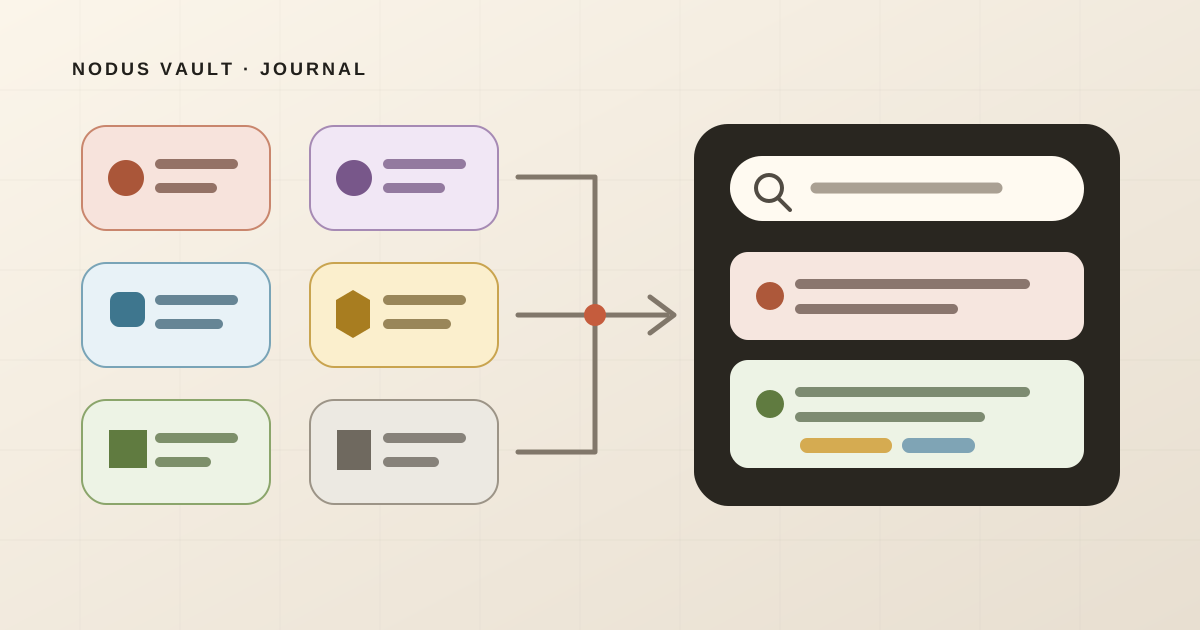
Choose one place where a useful link can become findable again, then route new saves there on purpose. Do not begin by copying every old Instagram save, browser bookmark, YouTube video, Reddit thread, self-message, and note into a new app. First decide which items still have a job.
That distinction matters because “everything in one place” sounds cleaner than it behaves. A payroll dashboard should stay visible as a shortcut. A course video may work best in its playlist. A post that supports a current project belongs with that project. An expired sale can disappear. A note with no source URL is still a note.
The goal is not one storage location for every object. It is one reliable route back to the material you expect to use.
The short answer: give every save a next job
When saved content is spread across apps, use four decisions:
| The save still needs to… | Put it… | Typical example |
|---|---|---|
| Support a project or remain searchable as reference | In a central link library | Research article, useful thread, design example |
| Stay visible or preserve a native sequence | In its existing shortcut or queue | Dashboard, event ticket, course playlist |
| Keep context that a URL would strip away | In the original app, with an optional pointer elsewhere | A reel that depends on audio, a working note, a code snippet |
| Do nothing | Nowhere | Expired offer, duplicate, abandoned recommendation |
Pick the decision before you pick a folder or tag. Otherwise, migration becomes a sorting project with no finish line.
This also prevents a common category mistake: synchronization is not centralization. Syncing Chrome bookmarks gives you the same Chrome library on several devices. It does not make an Instagram collection, YouTube Watch Later, a Reddit save, and a link in a chat searchable together.
Why the same person ends up with six separate libraries
People save where they already are. YouTube offers Watch Later, Instagram offers saved collections, browsers offer bookmarks, and messaging apps make sending a link to yourself effortless. Each local decision is reasonable. The fragmentation only appears later, when you remember the subject but not the app.
Recent community discussions describe that failure in plain terms. One person listed Reddit, YouTube, Twitter, browser bookmarks, spreadsheets, Notion, and WhatsApp—and said the system breaks because there is no single search across them. Another described saving in Chrome, Instagram, TikTok screenshots, and pins, then forgetting where each item lives. These are individual reports from productivity communities, not a representative survey, but the same situation appears across separate discussions and audiences.
The problem predates today’s apps. A cross-tool personal information management study published in 2004 examined files, email, and web bookmarks together and found that people used varied strategies within and across tools. Its age means it cannot measure current social-media habits, but its cross-tool framing still matters: the system is the combination of places, not any one bookmark folder. The paper and abstract are available through UCL.
The practical consequence is simple. Organizing each silo more carefully may improve that silo while leaving the retrieval problem intact.
Audit the silos before moving anything
Open a blank sheet and list the places where you saved something during the last seven days. Do not start with every app installed on your phone. Start with observed behavior.
Six places cover many personal systems:
- browser bookmarks;
- a social app’s saved section;
- a video or reading queue;
- messages sent to yourself;
- a notes app;
- screenshots or downloaded files.
For each place, inspect four recent items and record:
- What do you remember? Use your actual memory: “the post about checkout errors,” not necessarily the title.
- What should happen next? Repeated access, active project, read or watch, long-term reference, or no remaining job.
- What would be lost by moving it? Comments, playlist order, audio, private access, a surrounding conversation, or nothing important.
- Where would you look first? Be honest. A theoretically elegant destination is useless if you never search it.
Twenty-four items are enough to expose the shape of the problem without turning the audit into a weekend cleanup. If one source contains hundreds of saves, sample the four most recent and four older items instead of scrolling the whole archive.
We applied the audit to 24 prepared saves
On July 24, 2026, we applied the method to a prepared set of 24 examples: four each from browser bookmarks, Instagram saves, YouTube Watch Later, Reddit saves, a WhatsApp self-chat, and a notes app.
The examples were constructed to represent recognizable decisions—a payroll dashboard, an expired sale, a course lesson, a troubleshooting comment, a client brief, and a note containing code. They did not come from a customer account or a private personal library.
We recorded the starting silo, content type, remembered context, next job, decision, destination, and reason. The result was not “move all 24”:
| Decision | Items | What decided it |
|---|---|---|
| Move to a central library | 10 | The item supported a project, a real reading commitment, or reusable reference |
| Keep as a shortcut or native queue | 6 | Visibility, timing, or sequence was more useful than central storage |
| Discard | 5 | The item was expired, duplicated, completed, or had no remaining job |
| Keep with original context | 3 | Treating it as an ordinary URL would remove useful meaning |
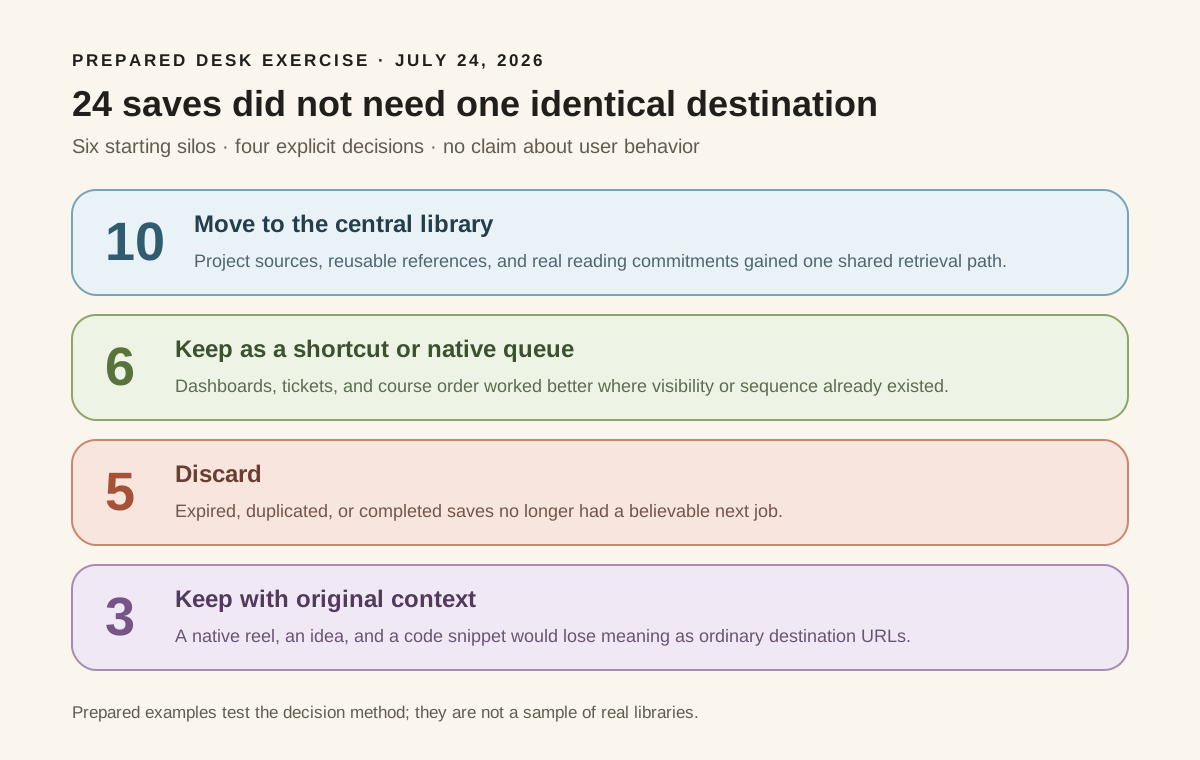
You can inspect the complete 24-item audit sheet. The decisions are editorial judgments, not measured user behavior. The sample was deliberately varied, so it probably produces more exceptions than a collection made almost entirely of recipes or academic papers.
That is also the useful result. Fourteen of the 24 examples did not belong in the central library. A rule that had moved everything would have preserved expired items, duplicated shortcuts, weakened a course’s sequence, and turned notes into poor bookmarks.
Build the new route from today forward
Once you can see the silos, leave the old piles alone for a moment. Fix capture for new material first.
Choose one source of truth for reusable links
Your source of truth is the place you will search when you remember an idea but not its origin. It may be a bookmark manager, a notes database, or another searchable library. It needs to accept links from the devices and browsers you actually use.
Before committing, test five things:
- Can you save from your main browser without interrupting the current task?
- What happens on mobile: share sheet, paste later, or no workable path?
- Does search cover only titles, or also page content, notes, source, and tags?
- Can you export your data in a usable format?
- What happens when the original page becomes private, moves, or disappears?
No tool answers all five perfectly. The point of the test is to know which failures you are accepting.
Use one capture rule
A rule should be short enough to remember while you are in another app:
If this public link has a job outside the app where I found it, send it to the central inbox.
“Outside the app” is the important part. A YouTube lesson that only needs to be the next video in a course can remain in the playlist. A video that contains evidence for a project needs a route from the project back to the source.
When the destination has no direct mobile capture, use a temporary intake point you already trust, then empty it on a schedule. That might be one self-chat or one inbox note. Do not create a different workaround for every platform; that recreates the problem one level higher.
Preserve why, not every possible category
Add a short note when the reason for saving is not obvious:
example of checkout error copysource for Lisbon museum decisionfix for stale build cache
Those phrases are often better retrieval cues than a perfect folder tree. They record the part the page title cannot know.
Tags and collections can wait until they create a second useful path. If you are deciding between them, our practical comparison of tags and folders explains where each structure earns its maintenance.
Give the inbox exits
A central inbox without decisions becomes one larger silo. Every item needs an exit:
- repeated shortcut;
- active project;
- read or watch;
- reference;
- archive or discard.
The distinction between a reading commitment and reusable reference is especially helpful. Our guide to bookmarks versus reading lists covers that decision in detail.
Bring old saves over selectively
After the new rule has worked for a week, migrate only what remains useful.
Preserve browser bookmarks before changing them
Export the browser library and keep the original file untouched. Chrome’s current documentation says its bookmark manager exports an HTML file that another browser can import. It also explains where imported bookmarks appear when the destination already contains items. Follow the current Chrome import and export instructions, then open the exported file and sample links from several old folders.
An HTML bookmark export preserves a list of destinations and folder structure. It is not an offline copy of every page. If the content itself must survive, use an appropriate archival or records system.
For a large collection, move active shortcuts and current projects first. Import the rest as searchable reference only if that will help; do not assign a new folder to every old item. The safer cleanup sequence is covered in how to clean up thousands of bookmarks without losing anything.
Treat social saves as a queue, not a bulk-migration obligation
Platform exports, privacy boundaries, deleted posts, and native media make social saves less predictable than browser bookmarks. A saved post may be public, private, removed, account-limited, or meaningful only beside comments and audio.
Start with the last 20 items or the saves connected to one active project. Copy the public URL when it carries enough context. Leave the item in place and create a pointer when it does not. Delete or ignore anything with no current job.
Do not claim the migration is complete just because a file downloaded successfully. Check whether the output contains the saved items you expected and whether those records open without the original app session.
Keep non-links as non-links
Screenshots, private documents, voice notes, and snippets may belong in a file or notes system. Forcing them into a bookmark manager can replace one fragmented system with a misleading one.
A central link library can still hold a pointer to the project note or file location. The pointer says where to continue; it does not pretend the object is a web page.
Test retrieval before reorganizing more
After a week, choose five items without opening their source apps first. Search using what you remember:
- an idea;
- a source or community;
- the project;
- a phrase from your note;
- the next job.
Record where the route breaks. If you remember “museum for Lisbon” but the saved title is only a venue name, add the missing project context. If a Reddit comment appears only under an exact title you never knew, the search route needs better content or a note. If you keep opening YouTube first for course lessons, that may be evidence that the native playlist is already the right home.
Do not respond to one failed search by reorganizing the whole library. Repair the path for that class of item, then test again. For a deeper recovery sequence, see how to find a saved link without remembering its title.
Where this method stops working
A personal link workflow cannot remove platform boundaries.
Private posts may open only for the right account. Deleted material may be gone even if its URL remains. A video, carousel, or discussion can lose important context when reduced to a title and link. Automatic account connections introduce privacy and permission questions that manual capture avoids but cannot answer for you.
Teams also need more than a personal source of truth. Shared naming, ownership, retention, and access rules matter when several people depend on the same collection. Regulated or legal work may require fixed records, not links back to changeable pages.
Finally, centralization does not make every save worth keeping. If the new library receives everything without a next job, you have built a better-indexed backlog, not a working memory.
How this maps to Nodus Vault
Nodus Vault can serve as the central route for public links you deliberately bring into it. Today, you can capture from a Chromium extension, paste URLs in the web app, or import browser bookmarks. Search covers saved titles, descriptions, page content, notes, tags, sources, and meaning; collections and tags remain optional.
It does not automatically pull every private saved collection from social accounts. For an Instagram post, Reddit thread, X post, or YouTube video, the reliable Nodus workflow is to save the accessible URL through Chromium or paste it, then preserve a short reason when the title will not be enough.
Imported links enter a system where they can be triaged instead of receiving a permanent structure immediately. Daily Check can later bring a small number back for a decision, but it cannot recover content that the source no longer makes accessible.
If that boundary fits your workflow, try Nodus Vault with the links that are active now. Let the old archives wait until real use gives you a reason to move them.
A one-week reset
For the next seven days:
- List the places where you actually save.
- Choose one searchable home for reusable public links.
- Route only new, useful links into its inbox.
- Keep native queues when sequence or context is doing real work.
- Add a short “why” note when the title will not help.
- Give every inbox item an exit.
- Test five recoveries before migrating anything else.
At the end of the week, you will know more than a full weekend of speculative organizing could tell you. The links that deserve centralization will have revealed themselves through use—and so will the ones that were fine where they already were.